VitXi 4.6.0-6 is here, and its headline feature is the new Admin Call Logs module. It gives administrators one place to search, filter, tag, annotate, and export every call. The release, published on September 29, 2026, also lets agents start outbound WhatsApp and SMS conversations from Omni Inboxes and fixes a long list of calling and chat issues.
If you run VitalPBX, the 2026 INTERNET TELEPHONY Product of the Year Award winner, this update is worth a look. It improves what admins can see, what agents can do, and how reliably both work day to day.
This post walks through what’s new, what’s improved, and what’s fixed in VitXi 4.6.0-6.
What’s New in VitXi 4.6.0-6
The release adds eight new capabilities. Three of them will change how most teams work, so we cover those first.
Admin Call Logs: One Place to See Every Call
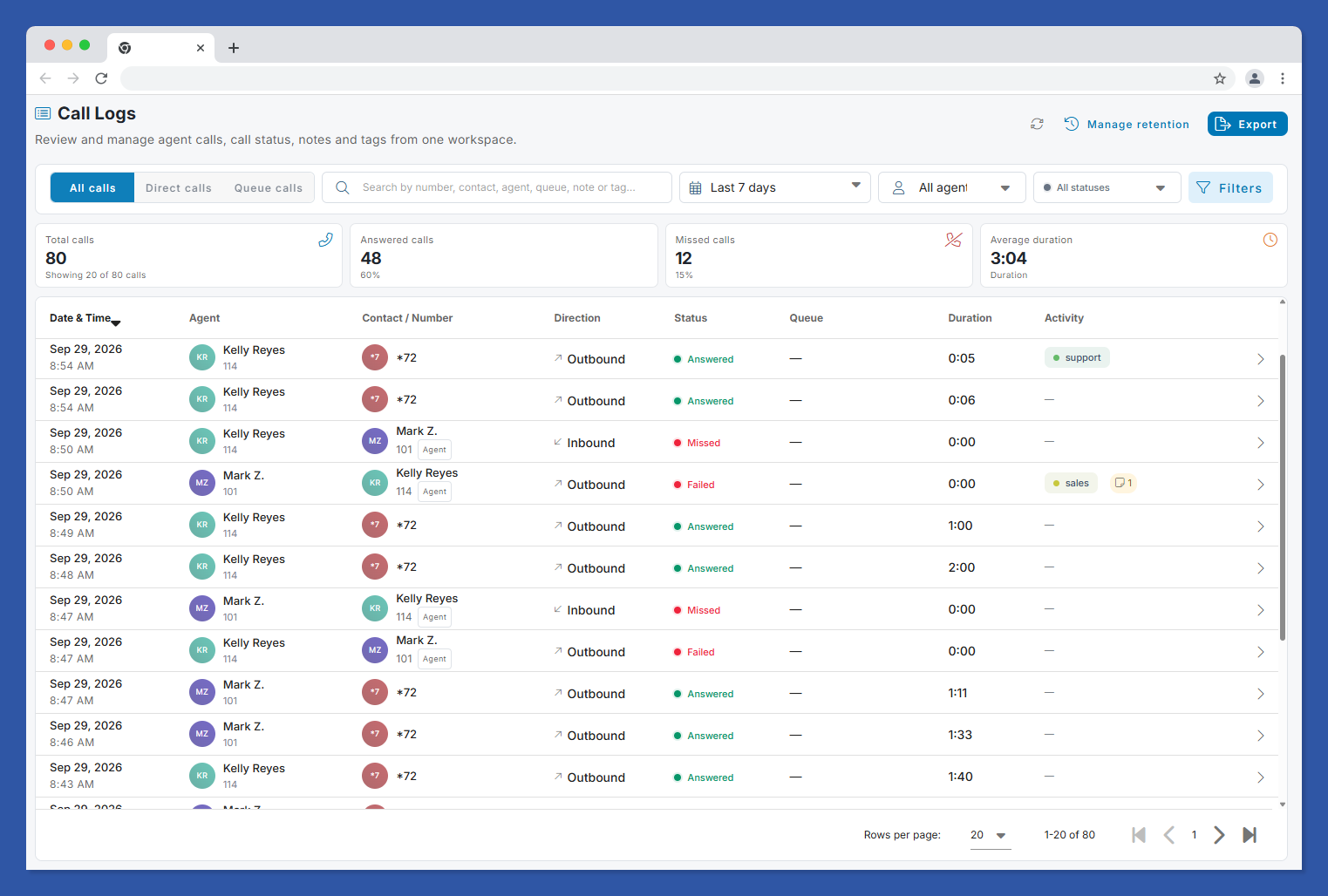
Admin Call Logs is a new module built for administrators who need answers fast: who called, who picked up, which queue handled it, and what happened next.
It includes:
- Filtering and search across call records, including date, agent, direction, status, queue, and tags
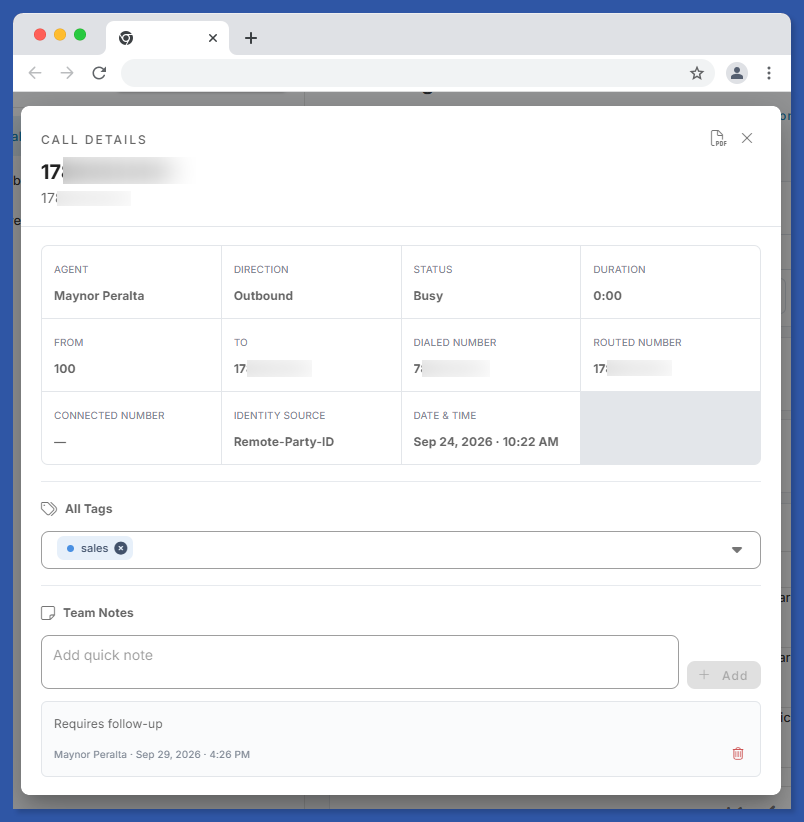
- Call details for each record
- Notes and tags so teams can add context to a call
- Retention controls to manage how long call data is kept
- Exports for reporting and audits
Tenant administrators get access to Admin Call Logs by default. Exports are tenant-aware, so multi-tenant deployments keep each customer’s data separate.
A Dedicated Reports Section
Reporting tools now live together. The new Reports navigation section contains Call Logs, Inbox Reports, and Event Logs. Reports visibility is permission-aware, so users only see the reports their role allows.
Outbound WhatsApp and SMS from Omni Inboxes
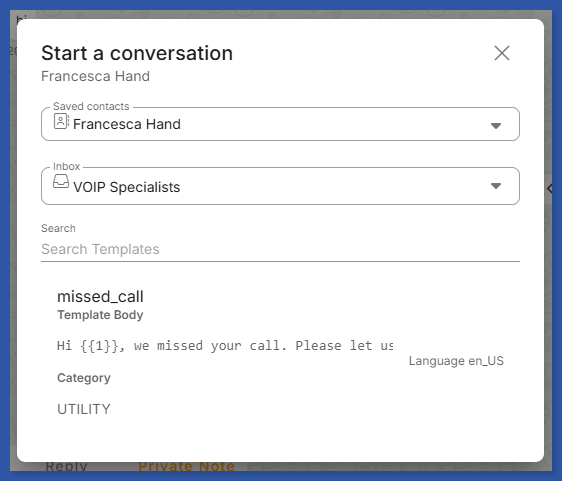
Agents no longer have to wait for a customer to write first. In 4.6.0-6, agents can create outbound WhatsApp and SMS conversations directly from Omni Inboxes. WhatsApp conversations start from templates, and the contact information and conversation tags carry over.
The release also adds clearer success and delivery-failure notifications, so an agent knows right away whether a message went through.
More Additions
- Embedded CRM workspace mode for agent call-center profiles
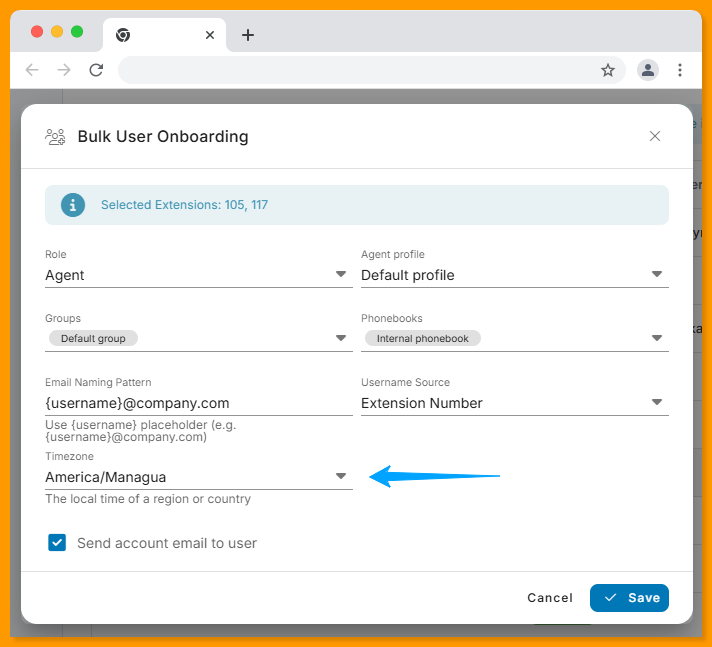
- User timezone configuration in creation, editing, bulk onboarding, CSV import, and export workflows
- Queue information on incoming calls and in Call History
- PBX-routed call identity details in administrator views and exports
- Manual refresh for User Manager PBX Extensions
What’s Improved
The improvements focus on the daily experience of agents and admins.
Call History is clearer. Agents now see plain explanations of routed numbers, and callbacks use the originally dialed number. Exports are timezone-aware.
Chat works better. Formatting, realtime messages, scrolling, unread-message handling, and suggestion search have all been refined. The chat toolbar now shows extensions and contact phone numbers.
Omni Inboxes got a broad tune-up: conversation creation, sorting, tagging, phone validation, notifications, and mention suggestions are all improved. Private-note mentions now include avatars and search.
Tags look and behave consistently across the application.
CRM handling is better. This covers CRM URL handling, auto-opening behavior, and embedded workspace persistence.
Queue calls show more accurate information, and it stays in sync. Agent Profiles include a toggle for the queue information display.
Administration is easier to navigate. Debian installation diagnostics are also improved, and they preserve existing permissions and customer configuration.
What’s Fixed
These fixes address issues admins and agents reported:
- Selected Inbox tags now appear active
- Agent Call History filters work correctly for All, Missed, Incoming, and Outgoing calls
- Intermittent missing group members and duplicate group requests are resolved
- Presence indicators in conversation and mention suggestions display correctly
- Chat search clears when closed
- Highlighted, aligned, and strikethrough chat formatting renders correctly
- Conference participants no longer remain audible after being muted
- Missing Busy presence translations have been added
The conference fix matters most if you host meetings on your PBX. A muted participant who can still be heard is a real problem, and it’s now resolved.
Who Benefits Most From This Release
Administrators and MSPs get the biggest gains. Admin Call Logs, tenant-aware exports, and the Reports section make audits and customer reporting faster. Because VitalPBX Multi-Tenant runs many PBX instances on one server (practical limit around 100 tenants), tenant-level visibility saves real time.
Call center teams benefit from queue information on incoming calls and in Call History, which gives agents context before they answer.
Sales and support teams can now reach out first over WhatsApp and SMS, and the embedded CRM workspace keeps customer records close.
How to Get VitXi 4.6.0-6
Check the full changelog for the complete list and update details: [Link: VitXi Changelog — vitalpbx.com/vitxi-webrtc-phone-changes-log/]. You can also read the official release announcement on the VitalPBX forums and share feedback there.
Not on VitalPBX yet? [Link: VitalPBX Plans & Pricing — vitalpbx.com/pbx-plans-and-pricing-vitalpbx-system/] shows which plan fits your team. Community is free for up to 12 extensions. VitalPBX installs on Debian 12 64-bit minimal.
Frequently Asked Questions
What is VitXi 4.6.0-6?
VitXi 4.6.0-6 is a VitalPBX release published on September 29, 2026. It introduces the Admin Call Logs module and outbound WhatsApp and SMS conversations from Omni Inboxes. It also improves Call History, chat, and CRM handling, and fixes issues with filters, group members, and conference audio.
What is the Admin Call Logs module in VitXi?
Admin Call Logs is a module that gives administrators a central view of call activity. It supports filtering and search, call details, notes, tags, retention controls, and exports. It sits in the new Reports section alongside Inbox Reports and Event Logs.
Who can access Admin Call Logs?
Tenant administrators have access to Admin Call Logs by default. The Reports navigation section is permission-aware, so each user only sees the reports their role permits. Exports are tenant-aware for multi-tenant environments.
Can agents start WhatsApp and SMS conversations in VitXi?
Yes. As of VitXi 4.6.0-6, agents can create outbound WhatsApp and SMS conversations directly from Omni Inboxes. WhatsApp conversations start from templates. Contact information and conversation tags are kept, and agents get clear notifications when a message succeeds or fails to deliver.
What timezone improvements are in VitXi 4.6.0-6?
You can now set a user timezone when creating or editing users, during bulk onboarding, and in CSV imports and exports. Call History PDF exports are also timezone-aware, so reports match each user’s local time.
What was fixed in VitXi 4.6.0-6?
Fixes include Inbox tags not appearing active, agent Call History filters (All, Missed, Incoming, Outgoing), missing group members and duplicate group requests, and presence indicators in suggestions. Chat search now clears when closed, and chat formatting renders correctly. Conference participants no longer stay audible after being muted, and the missing Busy presence translations were added.
Where can I find the full VitXi changelog?
The full changelog is on the VitalPBX website at vitalpbx.com/vitxi-webrtc-phone-changes-log/. The official announcement thread on the VitalPBX forums also lists the highlights and is open for feedback.
Try It on Your Own PBX
VitXi 4.6.0-6 gives administrators clearer visibility and gives agents more ways to reach customers. View the full VitXi changelog to see everything in this release, or book a demo (US Eastern) or the Europe-time demo to see it running.