Audio & Video Calls
High performance audio and video calls.



With VitXi, you can use your extension from anywhere. It’s a full WebRTC client with all the features you need for VitalPBX. No separate installations or updates: it works in the cloud and wherever you are.
Take your extension anywhere in one place. Have all your communications together, from video and audio calls to text and chat, right from your browser.
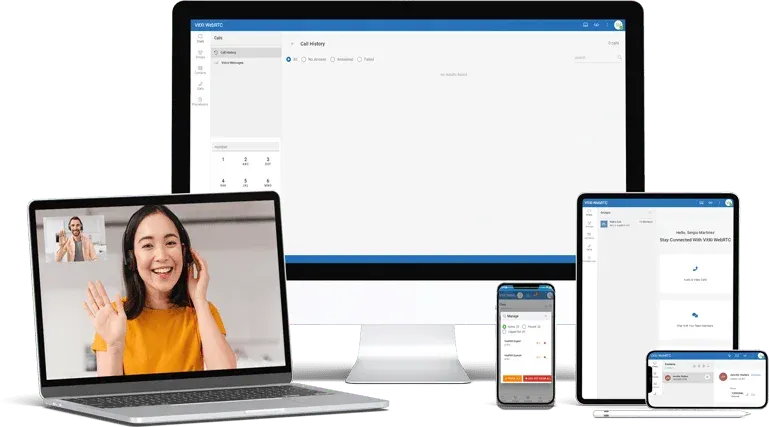
High performance audio and video calls.
Share your screen while on a call to add more detail to your business meetings.
Chat with your team members through VitXi and SIP Chat capable devices.
Transfer calls to your colleagues easily and intuitively.
Presence management of your contacts in real time.
Share your documents through the chat, straight from the chat module, so work gets done faster.
A softphone is a phone in software: it turns your computer, tablet or smartphone into your office extension. VitXi is built on WebRTC, the real-time audio and video standard built into modern browsers, so there is nothing to download, install or update on each device.
Your team signs in and their VitalPBX extension is ready, with the same features they have on a desk phone. Because VitXi runs in the cloud and in the browser, it works the same in the office, at home or on the road.
VitXi Inboxes bring customer messaging next to your calls. Connect WhatsApp Business and SMS, and your agents answer conversations from the same app they use for the phone, with images, videos and documents attached.
Assign conversations by agent self-assignment or round robin, add private internal notes, see read receipts and use approved WhatsApp template messages for fast replies. Agents can also start outbound WhatsApp and SMS conversations from the inbox.
VitXi includes agent call center profiles with an embedded CRM workspace, queue information on incoming calls and in call history, and callbacks that always go back to the number the customer originally dialed.
Administrators get one place to see every call: Admin Call Logs with search and filters by date, agent, direction, status, queue and tags, plus notes, retention controls and exports for reporting and audits.
Agents on Jabra headsets control calls from the headset itself through the native Jabra integration: answer, reject, hold, resume, swap calls and mute, without touching the screen.
The number of VitXi WebRTC clients each plan includes. See the full plans comparison for every feature.
| Feature | Community | Enterprise | Call Center | Multi-Tenant | VitalPBX One |
|---|---|---|---|---|---|
| VitXi WebRTC | 2 | 50 | 250 | 250 | 250 |
Share your screen right from VitXi and send files directly from the chat.
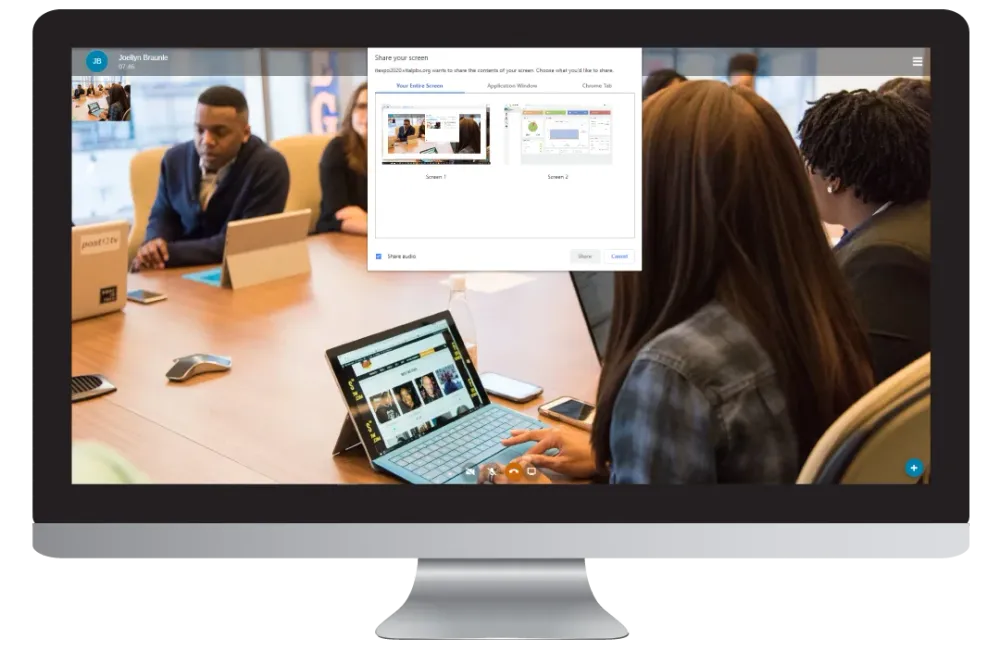
VitXi works in any modern browser. If your team prefers a native app, VitalPBX has those too.
The mobile app for iOS and Android: your business extension on your smartphone, with calls and video.
Learn moreA Windows desktop softphone with presence, chat, video calls and BLF.
Learn moreAdd live supervision, reports, outbound dialing, recordings and billing to your call center.
Learn moreVitXi is the WebRTC softphone for VitalPBX. It puts your extension in your web browser on a desktop, laptop, tablet or phone, with audio and video calls, screen sharing, chat, presence, call transfers and omnichannel inboxes.
No. VitXi runs in your browser using WebRTC, so there are no separate installations or updates on each device. Your administrator sets it up once on the server side.
The free Community plan includes 2 VitXi WebRTC clients, the Enterprise plan 50, and the Call Center, Multi-Tenant and VitalPBX One plans 250.
Yes. VitXi Inboxes connect WhatsApp Business and SMS, so agents answer and start customer conversations from the same app they use for calls, with conversation assignment, internal notes and template messages.
Yes. VitXi works with your computer’s audio devices, and it integrates natively with Jabra headsets, so you can answer, reject, hold, resume, swap and mute calls from the headset.
VitXi runs in the browser on any device. VitalPBX Connect is the native mobile app for iOS and Android. VitalPBX Communicator is a native Windows desktop softphone. All three use your VitalPBX extension.
VitXi WebRTC clients are included in every plan. See how many your plan includes.
We use cookies and similar technologies to measure traffic and run ads. Choose what you allow, and change it any time from Your Privacy Choices in the footer. See our Cookie Policy.
Keeps the site working and remembers this choice. Always on.
Your browser sends a Global Privacy Control signal, so Marketing starts off.
Analytics and Marketing tags load together, so they start only when both are on.