
Call Center Dashboards: How They Can Transform Your Customer Service
Call center dashboards have emerged as one of the most powerful tools available to customer service teams, offering real-time visibility into operations, agent performance, and customer satisfaction metrics. Whether you’re managing a small support team or a large enterprise contact center, understanding how to leverage a call center dashboard can be the difference between losing customers and turning them into loyal advocates.
In 2026, businesses that rely on data-driven decision-making consistently outperform those that operate on gut instinct alone. A well-designed call center dashboard brings that data front and center — literally — giving managers and agents the insights they need to improve response times, reduce call abandonment rates, and elevate the overall customer experience.
What Is a Call Center Dashboard and Why Does It Matter?
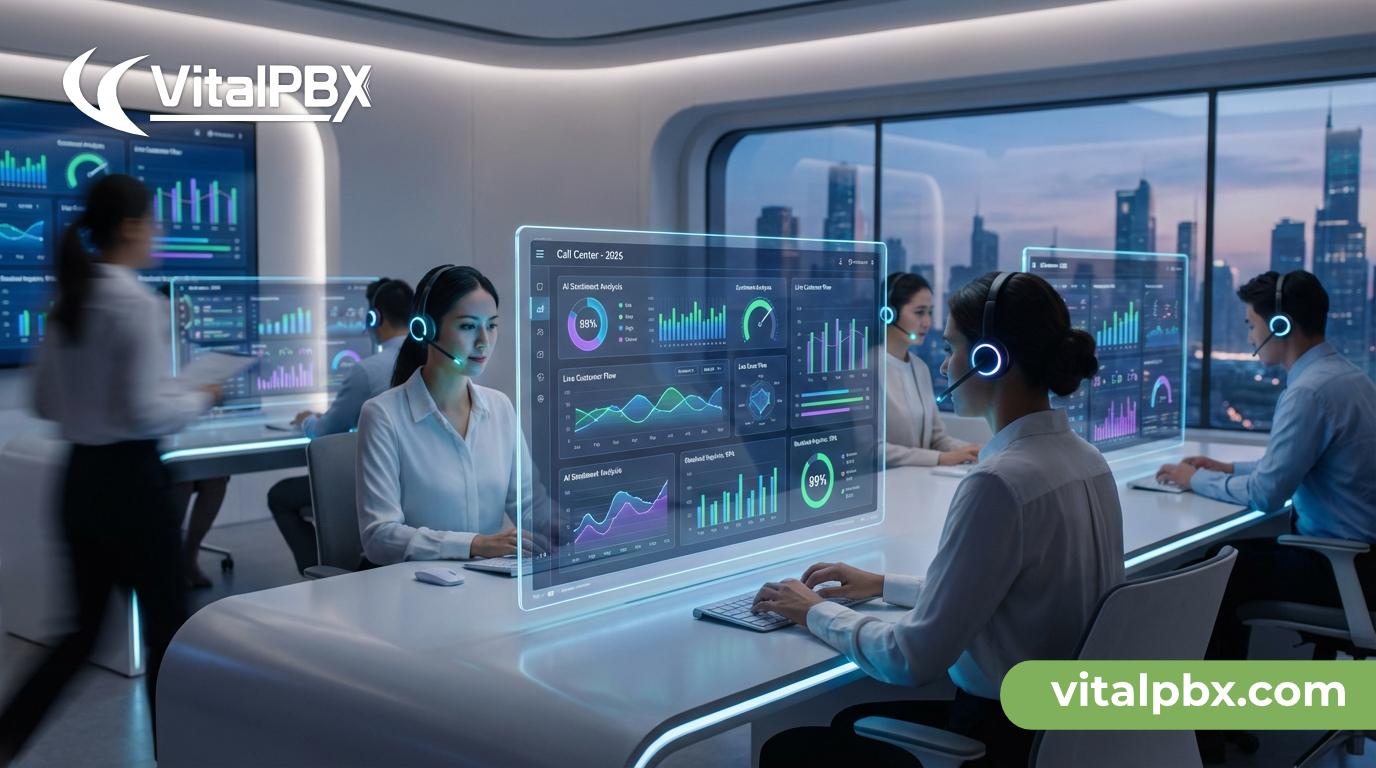
A call center dashboard is a visual interface that displays key performance indicators (KPIs) and real-time metrics related to your contact center’s operations. Think of it as the control tower of your customer service operation — a single screen where you can monitor everything from call volumes and wait times to agent availability and customer satisfaction scores.
Unlike static reports that you review after the fact, dashboards provide live data streams that allow supervisors to make immediate adjustments. If call queues are backing up, a manager can quickly reallocate agents. If a particular agent’s handle time is unusually high, a supervisor can step in with coaching or support before the situation escalates.
The importance of dashboards goes beyond operational efficiency. They create a culture of transparency and accountability within your team. When agents can see their own performance metrics in real time, they become more motivated to hit their targets and maintain service quality throughout their shift.
Key elements typically displayed on a call center dashboard include:
- Active calls and call queue length
- Average handle time (AHT)
- First call resolution (FCR) rate
- Agent availability and status
- Average speed of answer (ASA)
- Customer satisfaction scores (CSAT)
- Abandoned call rate
- Service level percentage
According to Gartner, organizations that use real-time analytics in their contact centers reduce average handle time by up to 40% and improve customer satisfaction scores significantly compared to those relying solely on historical reporting.
How Call Center Dashboards Improve Customer Service Quality
Real-Time Monitoring for Immediate Impact
One of the most valuable features of a call center dashboard is real-time monitoring. Customer service is inherently dynamic — call volumes spike unexpectedly, agents call out sick, and customers sometimes need extended support. Real-time data allows supervisors to respond to these fluctuations instantly rather than discovering problems hours later in a report.
For example, if your dashboard shows that the average wait time has jumped from 30 seconds to 4 minutes in the past 10 minutes, you know immediately that you have a staffing or volume problem. You can pull agents from lower-priority tasks, open additional queues, or activate overflow routing — all before your customers grow frustrated and hang up.
This kind of agility is what separates good customer service operations from great ones.
Performance Tracking That Drives Agent Accountability
Call center dashboards don’t just benefit managers — they empower agents too. When team members have visibility into their own performance metrics, they develop a stronger sense of ownership over the quality of their work.
Many modern dashboard solutions allow agents to see their individual stats alongside team averages. This creates healthy competition and motivates agents to close performance gaps without requiring constant managerial intervention.
Consider a scenario where a new agent notices their first call resolution rate is significantly lower than the team average displayed on the dashboard. That visibility alone can prompt them to review call scripts, ask for coaching, or pay closer attention to knowledge base articles — all of which lead to better customer outcomes.
Identifying Trends Before They Become Problems
Historical data combined with real-time monitoring gives call center managers the ability to spot trends early. Maybe customer wait times consistently spike on Monday mornings. Maybe a specific product issue is driving a surge in call volume after a software update. Dashboards make these patterns visible so you can act proactively.
With proactive trend analysis, you can:
- Adjust staffing schedules based on predicted call volume patterns
- Create targeted training programs to address recurring knowledge gaps
- Modify IVR menus to route customers more efficiently during peak periods
- Develop self-service resources for frequently asked questions that clog your queues
This proactive approach transforms your contact center from a reactive cost center into a strategic asset that actively enhances the customer experience.
Essential KPIs to Track on Your Call Center Dashboard
Not all metrics are created equal. Tracking too many KPIs can create noise and confusion, while tracking too few leaves you flying blind. Here are the most impactful metrics to include on your call center dashboard for maximum customer service improvement:
First Call Resolution (FCR)
What It Measures: Percentage of issues resolved in a single call.
Why It Matters: High FCR correlates directly with higher customer satisfaction (CSAT).
Average Handle Time (AHT)
What It Measures: Total time spent on a call, including after-call work.
Why It Matters: Helps management balance operational efficiency with service quality.
Average Speed of Answer (ASA)
What It Measures: How quickly incoming calls are answered by an agent.
Why It Matters: Directly impacts customer frustration levels and overall satisfaction.
Abandoned Call Rate
What It Measures: Percentage of callers who hang up before being connected to an agent.
Why It Matters: High rates typically indicate staffing shortages or inefficient routing logic.
Service Level
What It Measures: Percentage of calls answered within a specific target time (e.g., 80% of calls in 20 seconds).
Why It Matters: The standard benchmark for measuring overall contact center performance.
Customer Satisfaction Score (CSAT)
What It Measures: Customer-rated satisfaction immediately following an interaction.
Why It Matters: The ultimate “bottom line” measure of service quality and effectiveness.
Agent Occupancy Rate
What It Measures: Percentage of logged-in time agents spend actively handling calls.
Why It Matters: If too high, it leads to agent burnout; if too low, it indicates wasted labor resources.
Net Promoter Score (NPS)
What It Measures: The likelihood of customers recommending your business to others.
Why It Matters: A long-term indicator of customer loyalty and overall brand health.
Focusing on these KPIs gives you a balanced view of both operational efficiency and customer experience quality — the two pillars of a high-performing call center.
Choosing the Right Call Center Dashboard Solution
Features to Look For in a Dashboard Platform
Not every dashboard solution will meet your business needs. When evaluating options, look for these critical features:
- Real-time data refresh rates — ideally under 5 seconds for live monitoring accuracy
- Customizable widgets and layouts — so you can prioritize the metrics that matter most to your operation
- Role-based views — different displays for agents, supervisors, and executives
- Integration capabilities — seamless connection with your PBX system, CRM, and helpdesk tools
- Mobile accessibility — so supervisors can monitor performance from anywhere
- Historical reporting — for trend analysis and long-term planning
- Alert and notification systems — automated warnings when KPIs breach defined thresholds
How VitalPBX Supports Call Center Dashboard Functionality
VitalPBX is an open-source, enterprise-grade PBX platform that provides robust support for call center operations, including powerful dashboard capabilities through its Sonata Stats and Wallboard modules. These tools give call center managers real-time visibility into queue performance, agent status, and call activity — all integrated natively with the VitalPBX ecosystem.
Because VitalPBX is built on an open and flexible architecture, it integrates seamlessly with third-party analytics platforms and CRM systems, giving you the freedom to build a dashboard environment tailored to your specific workflows.
You can explore more about call center optimization strategies in our related articles on how to set up call queues in VitalPBX and best practices for IVR design.
Best Practices for Getting the Most Out of Your Call Center Dashboard
Having access to a dashboard is only half the battle. To truly improve customer service, you need to build a culture and workflow around the data it provides. Here are proven best practices to maximize your dashboard’s impact:
1. Define your KPIs before building your dashboard.
Start with your business goals and work backward. If your top priority is reducing customer wait times, make sure ASA and service level are front and center. Don’t clutter your dashboard with vanity metrics that don’t drive decisions.
2. Create role-specific views.
Your agents, supervisors, and executives all need different information. Agents benefit from seeing their personal stats and queue status. Supervisors need a broader view of team performance. Executives want high-level trend data. Customize views accordingly.
3. Set up automated alerts for critical thresholds.
Don’t rely on someone to notice when things go wrong. Configure your dashboard to send alerts when abandoned call rates exceed a certain percentage, when wait times breach your service level agreement, or when agent availability drops below minimum staffing levels.
4. Use dashboards in team meetings and coaching sessions.
Dashboard data shouldn’t live only on a screen — it should drive conversations. Use performance data in weekly team meetings to celebrate wins and address challenges. Use individual metrics in one-on-one coaching sessions to create personalized development plans.
5. Review and refine your dashboard regularly.
Your business evolves, and so should your dashboard. Schedule quarterly reviews to assess whether your current KPIs still align with your business goals, and update your dashboard layout to reflect any changes in priorities or workflows.
6. Combine real-time data with customer feedback.
Numbers alone don’t tell the whole story. Pair your quantitative dashboard metrics with qualitative customer feedback from post-call surveys and social media monitoring to get a complete picture of your service quality.
Frequently Asked Questions About Call Center Dashboards
What is the difference between a call center dashboard and a report?
A call center dashboard displays real-time or near-real-time data in a visual format, allowing managers to monitor operations as they happen. A report, on the other hand, is typically generated after the fact and analyzes historical data over a specific time period. Dashboards are designed for immediate action; reports are designed for strategic analysis.
How many KPIs should I track on my call center dashboard?
Most experts recommend tracking between 5 and 10 KPIs on your primary dashboard. Tracking too many metrics leads to information overload and makes it harder to identify what requires attention. Focus on the KPIs that most directly impact your customer service goals and business outcomes.
Can a call center dashboard help reduce agent burnout?
Yes. By monitoring agent occupancy rates and workload distribution in real time, supervisors can ensure that no single agent is overwhelmed while others are underutilized. Balanced workload management is one of the most effective ways to reduce burnout and improve agent retention — which in turn leads to more consistent customer service.
What is a good service level target for a call center?
The most commonly cited industry standard is answering 80% of calls within 20 seconds, often written as “80/20.” However, the right target depends on your industry and customer expectations. Healthcare or emergency services may require stricter standards, while some B2B service environments may accept slightly longer wait times.
Do I need expensive software to have a call center dashboard?
Not at all. Open-source solutions like VitalPBX provide enterprise-grade call center dashboard functionality without the prohibitive licensing costs of proprietary platforms. This makes professional-level contact center monitoring accessible to businesses of all sizes.
How often should real-time dashboard data refresh?
For effective real-time monitoring, data should refresh every 5 to 15 seconds. Some advanced platforms refresh even faster. The key is that the data must be current enough to allow supervisors to take meaningful action when issues arise.
Did You Know?
- Companies that invest in real-time call center analytics are 3x more likely to report year-over-year improvement in customer satisfaction scores, according to research from Aberdeen Group.
- The average cost of a lost customer due to poor service experience is estimated at $243 — making proactive dashboard monitoring one of the highest-ROI investments a contact center can make.
- 86% of customers are willing to pay more for a better customer experience, according to PWC — which means improving your service quality through better dashboard management has a direct impact on revenue.
Conclusion: Turn Data Into Exceptional Customer Experiences
Call center dashboards are not just a technology investment — they are a commitment to customer excellence. By giving your team real-time visibility into the metrics that matter most, you create an environment where problems are caught early, agents are empowered and accountable, and customers consistently receive the service they deserve.
From tracking first call resolution rates to monitoring agent availability, the right dashboard transforms raw data into actionable intelligence. And when your entire team is aligned around the same performance goals, the cumulative impact on customer satisfaction can be transformative.
In 2026, the businesses that will win on customer service aren’t necessarily those with the largest teams or the biggest budgets — they’re the ones that make smarter, faster, data-driven decisions. A call center dashboard is the tool that makes that possible.
Ready to see what a powerful, flexible call center solution looks like in action? Download VitalPBX for free today and explore its built-in call center dashboard capabilities. Whether you’re building a contact center from scratch or optimizing an existing operation, VitalPBX gives you the open-source platform you need to deliver world-class customer service without the enterprise price tag.