

Meet the New VitalPBX Portal Account Center: Licenses, Billing and Support in One Place
By VitalPBX Team ·· 3 min read
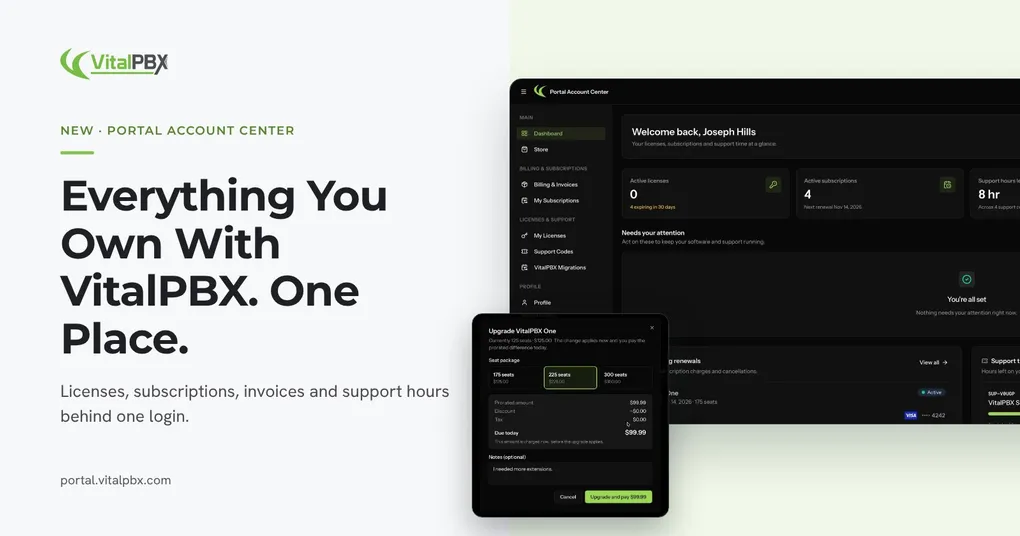
Managing a phone system shouldn’t mean hunting through emails for a license key, an invoice or the number of support hours you have left. The new VitalPBX Portal Account Center puts all of it behind one login: purchases, subscriptions, licenses, invoices, support codes and migrations.
Whether you run one PBX for your own business or manage dozens of servers for your clients, the portal gives you a clear view of what you own and what needs your attention.
Prefer to watch it on YouTube? Open the full walkthrough.
Your Account at a Glance.
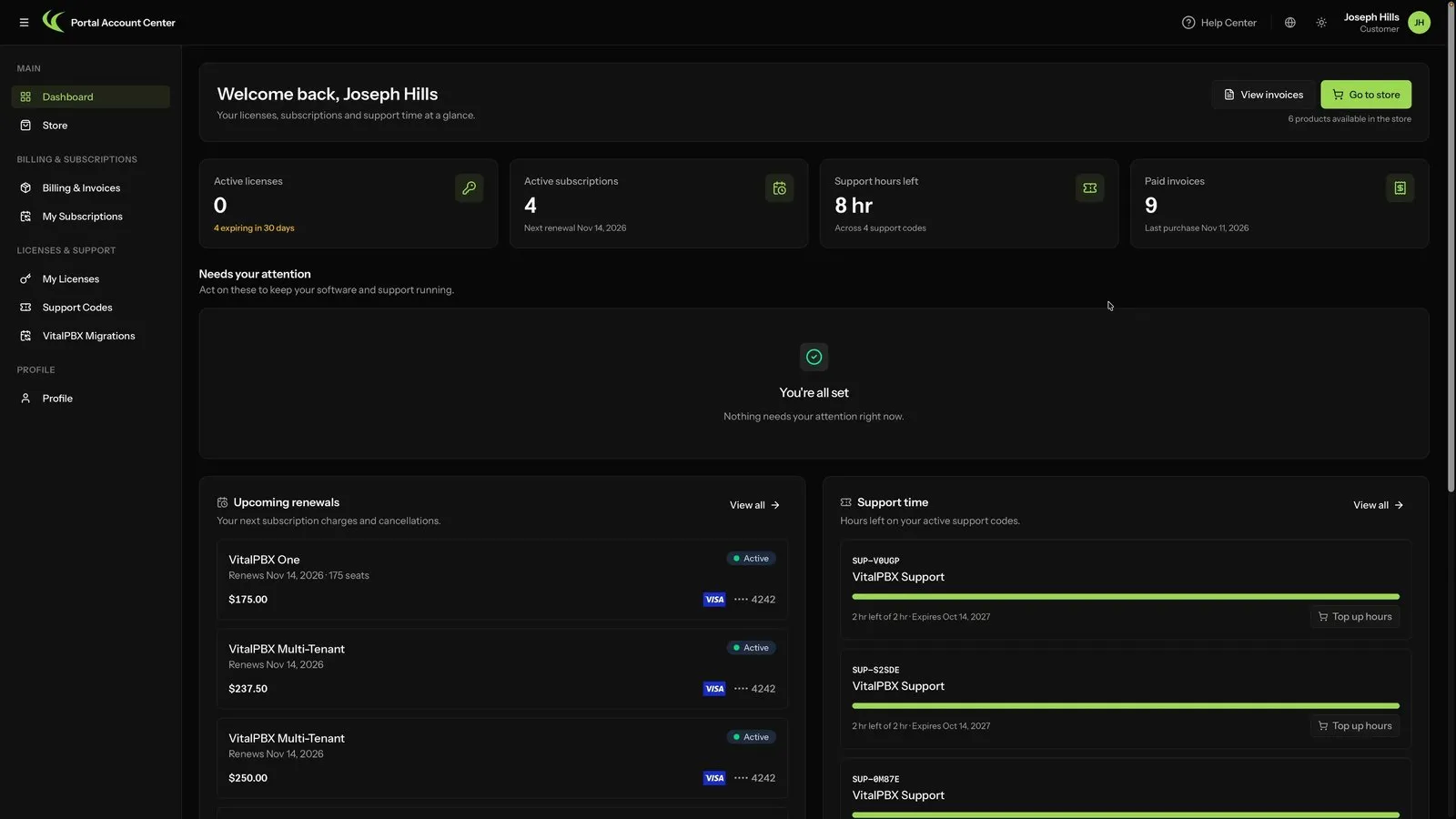
The dashboard opens with the numbers that matter: active licenses, active subscriptions, support hours left and paid invoices. Below them, a Needs your attention panel flags anything that could interrupt your service, like licenses expiring in the next 30 days.
You also see your upcoming renewals, the card each one bills to, your remaining support time per code and your latest invoices. One click takes you to the store or your full invoice history.
Buy What You Need, in Your Currency.
New to VitalPBX? Create an account in minutes and purchase directly from the store. Add products to your cart, apply a coupon code and add a reference so you can find the purchase later, for example the client or server it’s for.
At checkout, pay in your local currency or in USD, choose a saved card or add a new one, and save it for next time.
Upgrade Without the Back-and-Forth.
In My Subscriptions you can filter by active, past due or cancelled, or search for a specific product. From the Actions column you can upgrade, view or cancel any subscription.
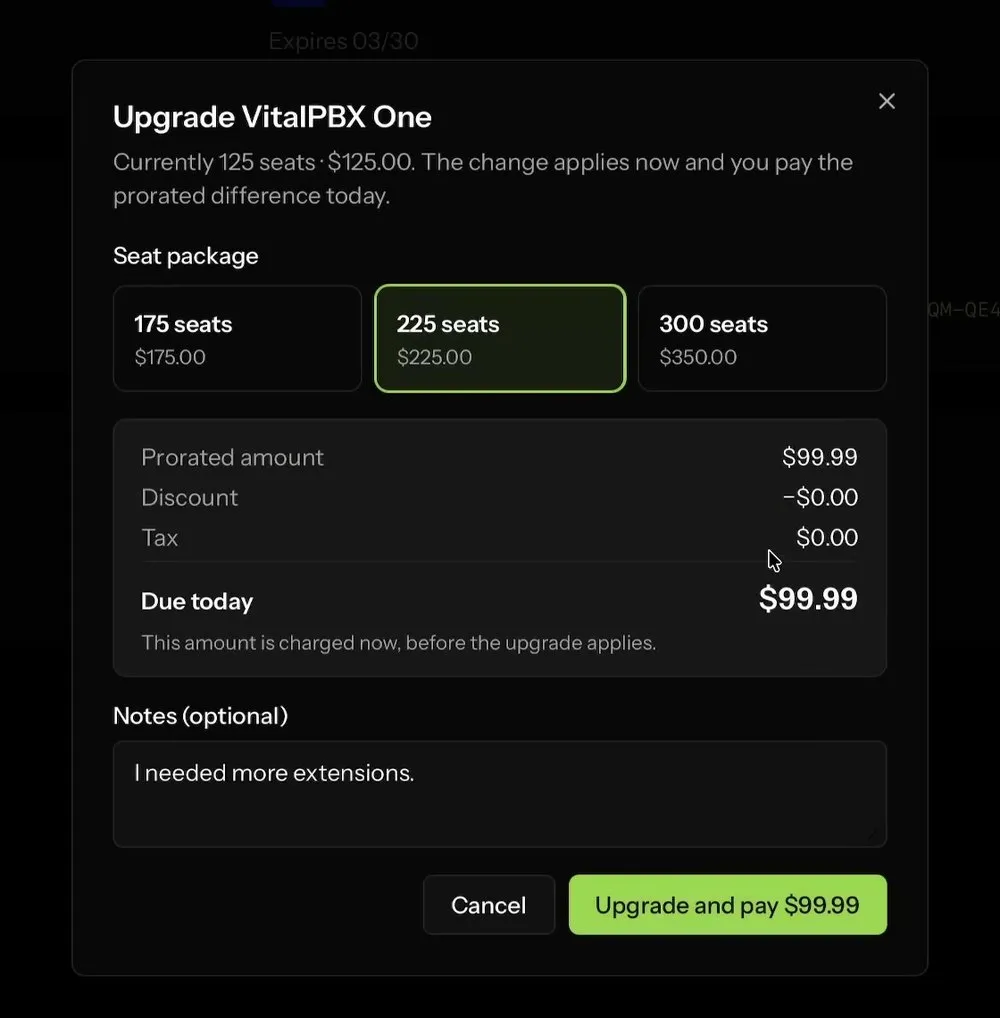
Upgrading shows you the available upgrade path for that license and a prorated price preview before you confirm. The charge goes to the payment method already attached to the subscription.
Inside each subscription you see your next charge, a cost breakdown, the products attached to it and a history of every upgrade. You can also change the payment method or cancel from the same screen.
Invoices You Can Actually Find.
Billing & Invoices lists every purchase with its status. Filter by status or search, and this is where your purchase references pay off. Open any invoice to see the licenses it affected and its billing details, and download it in one click.
Know Exactly Where Every License Lives.
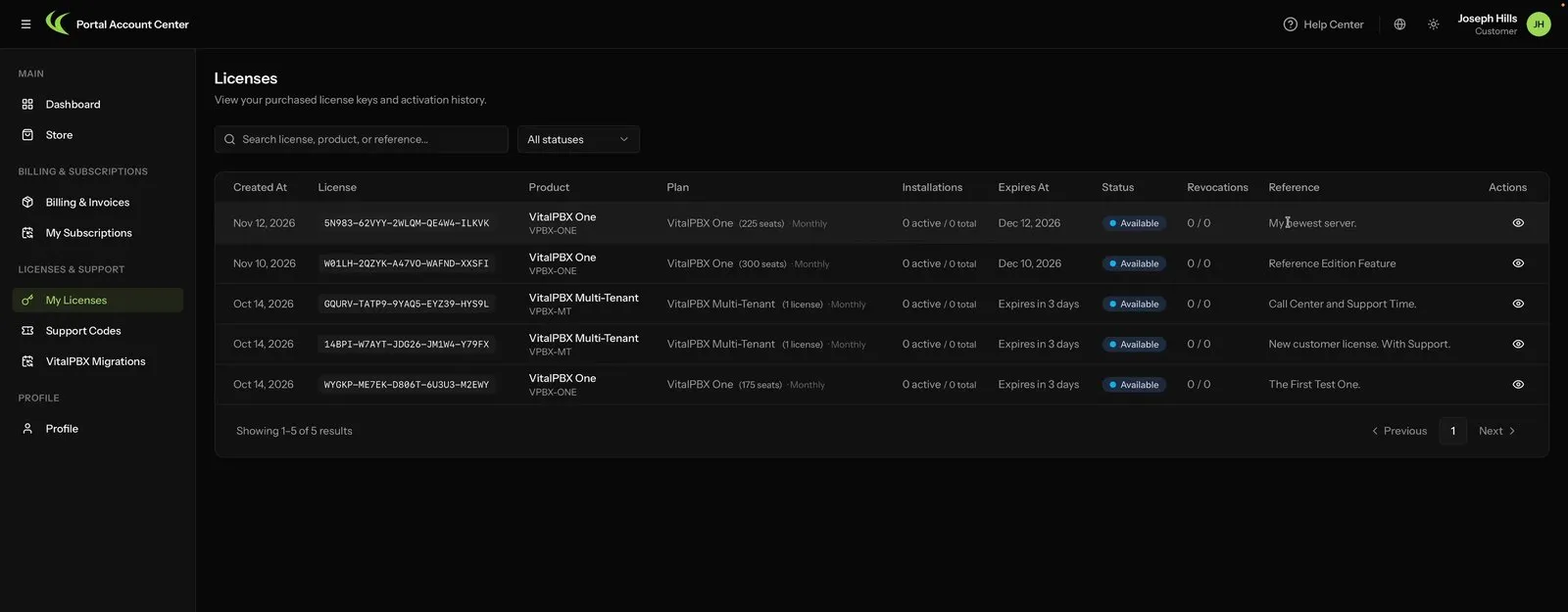
My Licenses shows each license key with its product, plan, installations, expiry date, status and revocations. Open a license to see active installations, activations, revocations and the specific servers using it, plus its action history and recent activations.
If you manage many servers, this is the fastest way to pinpoint which machine is running which license. You can also edit the license reference inline to keep your inventory organized.
Support Hours, Fully Transparent.
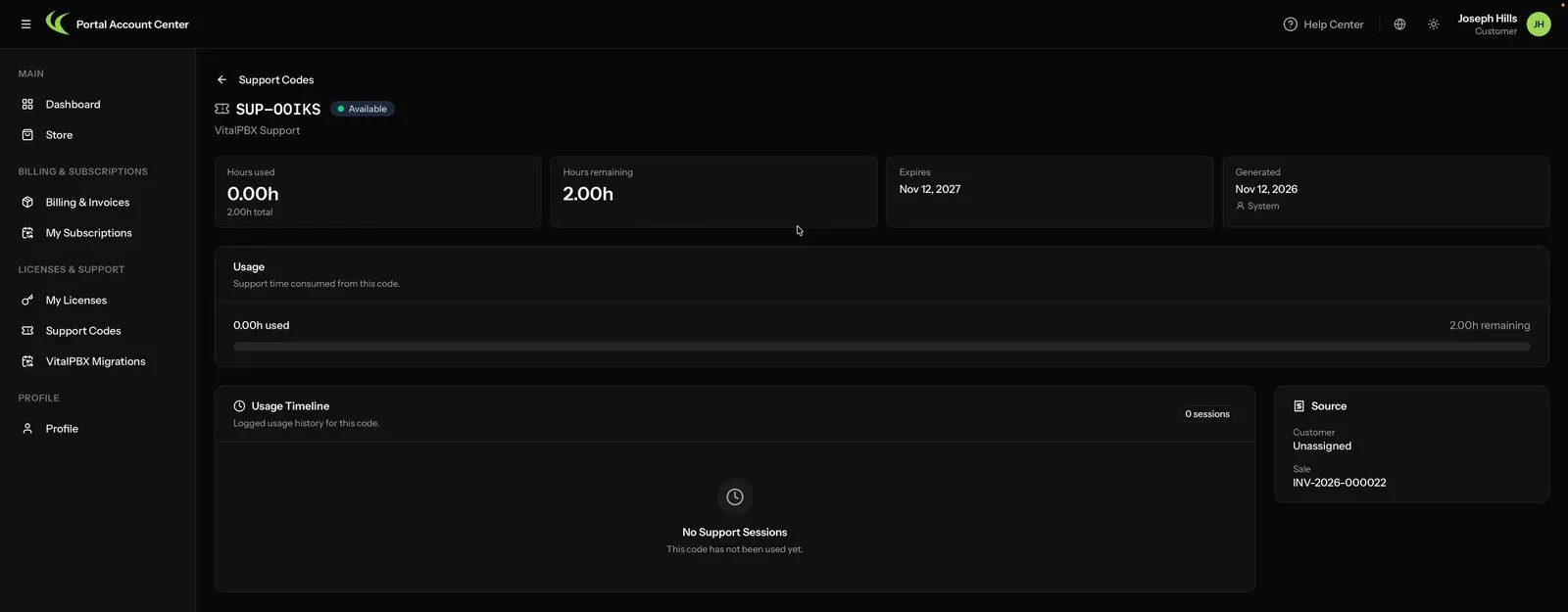
Support Codes shows every code from your support packages with hours used and hours left. Open a code to see a usage timeline with notes from the VitalPBX support engineers on each session, so you always know what was done and how much time remains.
Migrations, Tracked.
Moving from one VitalPBX version to another? Buy a migration package from the portal and track its usage in VitalPBX Migrations.
Your Profile, Your Way.
Update your name, email and password, and turn on two-factor authentication to protect your account. Choose a light, dark or system theme, and switch between English and Spanish from the top bar. The documentation is one click away from the Help Center.
Get Started.
The Portal Account Center is live now. Existing customers can sign in with their VitalPBX account. New customers can create an account in minutes.
Prefer a guided tour? Book a live demo with a VitalPBX expert.